
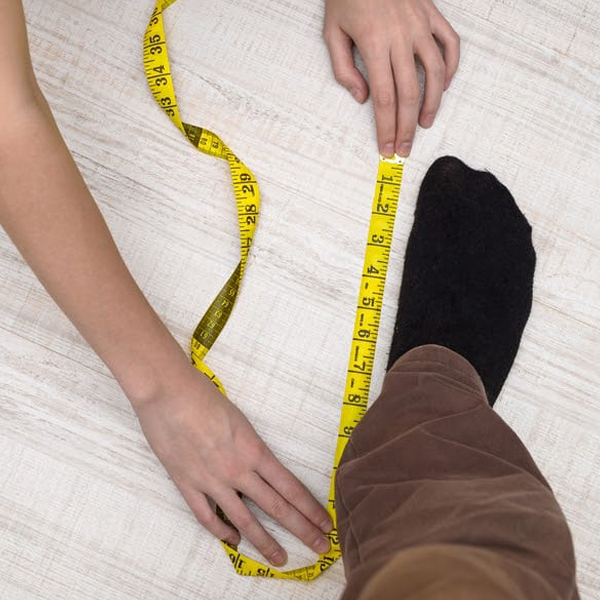
Online shopping has revolutionized the way we buy shoes, offering an endless array of options that would be hard to find in-store. However, the convenience of shopping online comes with its own set of challenges, one of which is ensuring that the shoes you purchase fit properly. While it may seem simple, finding the right size can be tricky without trying shoes on first. This is where knowing how to measure your feet becomes crucial. Proper foot measurements help prevent common shoe-shopping mistakes and ensure a comfortable, well-fitting pair of shoes.
Why Proper Foot Measurement Matters
When it comes to footwear, comfort is key. Wearing shoes that are too tight or too loose can cause a range of foot problems, including blisters, bunions, and even long-term issues like joint pain or poor posture. The problem arises because shoe sizes can vary between brands, and even between different styles from the same brand. Without the ability to try shoes on before purchasing, accurate foot measurements are the best way to determine which size will work best for you.
Moreover, foot size can change over time. Factors such as age, weight fluctuations, and pregnancy can cause your feet to become larger or wider. Therefore, it’s important to measure your feet regularly, especially if you’re shopping online for a new pair of shoes.
Steps to Measure Your Feet
To measure your feet for online shoe shopping, you’ll need a few basic tools: a ruler or tape measure, a piece of paper, and a pen or pencil. Here’s a step-by-step guide to get accurate measurements:
-
Prepare Your Feet: Measure your feet at the end of the day, as feet tend to swell slightly throughout the day. Make sure you’re standing while measuring to ensure your foot is in its full, natural position.
-
Draw an Outline: Place a piece of paper on a flat surface and stand on it. Trace around the outline of your foot with the pen or pencil, keeping the writing utensil as close to your foot as possible. You can also wear socks while doing this if you intend to buy shoes for wearing with socks.
-
Measure Length: Use a ruler or tape measure to find the longest point of your foot from the heel to the tip of your toes. Write down the measurement in centimeters or inches.
-
Measure Width: Next, measure the widest part of your foot, typically across the ball of your foot, from one side to the other. This will help you determine the width of the shoe you’ll need.
-
Repeat for Both Feet: It’s common for one foot to be slightly larger than the other, so be sure to measure both feet and use the larger measurement as your guide.
-
Consult a Size Chart: Once you have your measurements, refer to the specific shoe brand's size chart, as sizing can vary between manufacturers. Compare your foot length and width to the chart to determine the best size for you.
Tips for Choosing the Right Fit
-
Account for Shoe Type: Keep in mind that different types of shoes (sneakers, boots, sandals) may fit differently. For example, boots might require more room in the toe box, while sneakers may offer more flexibility.
-
Consider Reviews: Customer reviews often include helpful feedback about how a particular shoe fits. Look for comments about sizing to get a better idea of whether you’ll need to size up or down.
-
Check Return Policies: Even with accurate measurements, it’s possible that a pair of shoes won’t fit as expected. Always check the online store’s return policy to ensure you can exchange or return shoes that don’t fit well.
Conclusion
Measuring your feet before purchasing انتخاب سایز پا برای خرید آنلاین کفش is an essential step to ensuring a comfortable fit. By taking the time to accurately measure your feet and referring to size charts, you can significantly reduce the risk of purchasing shoes that don’t fit properly. This simple step can save you time, money, and frustration, helping you enjoy a more pleasant online shopping experience and a better fit for your feet.